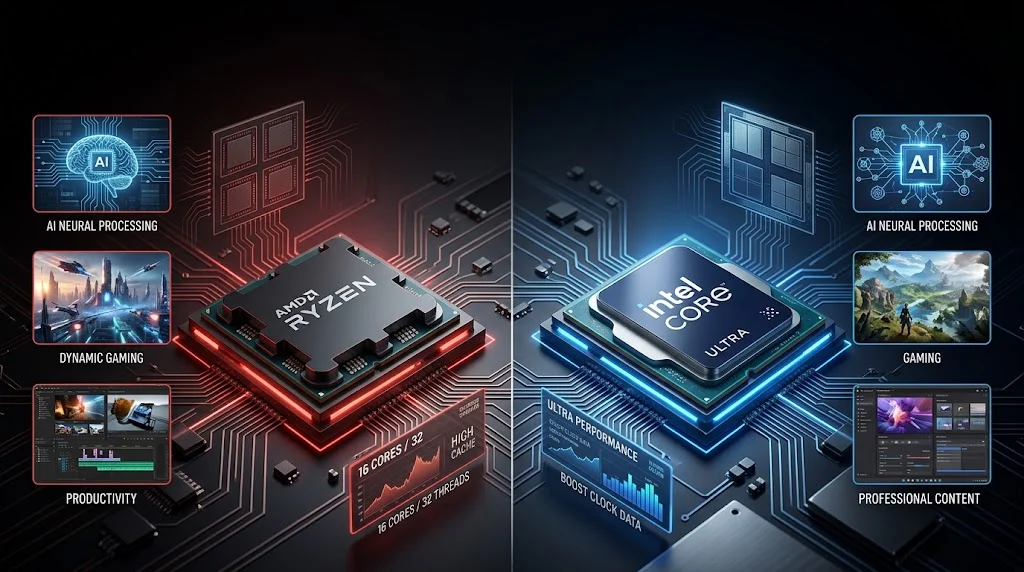
AMD focuses heavily on Ryzen performance, gaming, efficiency, integrated graphics, and modern AI acceleration, while Intel offers Core Ultra processors with strong application compatibility, hybrid core designs, graphics, and dedicated AI capabilities.
If you are asking whether AMD or Intel is better, the honest answer is that neither brand wins in every situation. AMD Ryzen processors can be particularly attractive for gaming, multitasking, integrated graphics, and certain demanding workloads, while Intel Core and Core Ultra processors remain strong choices for productivity, broad software compatibility, business systems, and AI enabled PCs.
The real decision should be based on the exact processor model, laptop or desktop design, cooling, graphics solution, power limits, price, and the applications you use. Both companies have decades of processor engineering experience, and current generations have moved the comparison beyond simple clock speed or core count. AMD now offers Ryzen AI processors with CPU, GPU, and NPU capabilities, while Intel Core Ultra platforms similarly combine CPU, GPU, and NPU resources for modern AI workloads.
AMD or Intel: What’s the Difference?
AMD and Intel are semiconductor companies that design processors for computers, servers, embedded systems, and other computing devices. In the consumer PC market, the comparison usually means AMD Ryzen processors versus Intel Core or Core Ultra processors.
AMD is a proper noun referring to Advanced Micro Devices, the company behind Ryzen processors. Ryzen is a processor family covering mainstream desktops, laptops, gaming systems, workstations, and AI PCs.
Intel is a proper noun referring to Intel Corporation. Its consumer processor families include Intel Core and the newer Core Ultra range, which targets conventional computing as well as AI accelerated workloads.
The important point is that AMD and Intel are not individual processors. They are brands and companies with multiple processor generations and product tiers.
Mini Recap
AMD and Intel are competing processor manufacturers, not two interchangeable names for the same technology.
Ryzen is AMD’s major consumer processor family.
Core and Core Ultra are major Intel consumer processor families.
Neither brand is automatically better for every user.
The exact processor model matters more than the logo on the computer.
Is AMD or Intel a Grammar, Vocabulary, or Usage Issue?
The phrase AMD or Intel is a usage and comparison question rather than a grammar problem.
Both names are proper nouns and should normally be capitalized. You should not write “amd or intel” in polished formal writing unless you are deliberately reproducing a search query.
They are not interchangeable. AMD identifies one company and Intel identifies another. Saying that your laptop has an Intel processor when it actually contains an AMD Ryzen chip is a factual error, not a stylistic variation.
In casual conversation, people often use brand names as shorthand for processor families. Someone might say, “I prefer AMD for gaming,” when they really mean that they prefer certain Ryzen processors. In academic or technical writing, it is better to identify the processor family and model when accuracy matters.
For example, “AMD Ryzen 7” is more informative than simply saying “AMD.” Likewise, “Intel Core Ultra 7” tells the reader considerably more than “Intel.”
When Should You Choose AMD?
AMD Ryzen processors cover a broad range of desktop and laptop systems. Modern Ryzen AI processors also combine CPU resources with Radeon graphics and dedicated AI acceleration in supported models.
Workplace Example
Suppose you regularly work with large spreadsheets, dozens of browser tabs, video meetings, and content management software. A suitable Ryzen processor with enough memory can provide strong multitasking performance.
The processor alone, however, does not determine the complete experience. Memory capacity, storage speed, cooling, and laptop design also influence responsiveness.
Academic Example
A university student might use a Ryzen laptop for research, browser based learning, programming, presentations, and occasional video editing. A midrange Ryzen system can provide enough performance without requiring an expensive workstation.
Technology Example
AMD has placed increasing emphasis on local AI processing. Ryzen AI systems can use a CPU, GPU, and NPU for different workloads, allowing supported AI applications to run locally on the computer.
AMD Usage Recap
Choose an AMD system when the specific model provides the performance, graphics, efficiency, and price combination that matches your workload. Do not select it simply because you have heard that AMD is faster.
When Should You Choose Intel?
Intel remains a major choice for desktops and laptops, while its Core Ultra family has expanded into AI focused computing. Intel describes its AI PC architecture as a combination of CPU, GPU, and NPU resources that can divide AI workloads according to the type of processing required.
Workplace Example
A business user may prioritize software compatibility, manageability, security features, connectivity, and predictable performance. Intel Core Ultra systems are available across a wide range of business machines, including systems designed for managed enterprise environments. Intel’s 2026 Core Ultra Series 3 commercial portfolio also emphasizes performance efficiency, security, manageability, and AI acceleration.
Academic Example
For students using office applications, programming environments, browsers, video conferencing software, and specialized university applications, an Intel based laptop can be an excellent choice.
The important consideration is compatibility with the software and peripherals you actually need.
Technology Example
Intel Core Ultra processors integrate AI acceleration across CPU, GPU, and NPU resources. Intel explains that the NPU is particularly useful for sustained AI workloads where power efficiency matters. (Intel)
Intel Usage Recap
Choose Intel when a specific Core or Core Ultra system offers the right combination of application compatibility, efficiency, graphics, AI features, connectivity, and price.
When You Should NOT Use AMD or Intel
There are several situations where choosing a processor purely by brand can lead to a poor purchase decision.
- Do not choose AMD simply because you believe every Ryzen processor beats every Intel processor.
- Do not choose Intel simply because you assume the brand is automatically better for professional work.
- Do not compare an entry level processor with a premium processor just because they come from competing companies.
- Do not judge laptop performance from desktop processor specifications alone.
- Do not ignore cooling and power limits when comparing laptop processors.
- Do not assume a processor with more cores will always be faster in every application.
- Do not select a processor without checking whether the computer has sufficient memory and storage.
- Do not buy an AI PC merely because it contains an NPU. Your software must actually support the AI features you intend to use.
The most reliable comparison is always processor against processor, system against system, and workload against workload.
Common Mistakes and Decision Rules
Decision Rule Box
If you mean the AMD processor brand, use AMD.
If you mean the Intel processor brand, use Intel.
If you are comparing performance, name the exact processor models whenever possible.
AMD or Intel in Modern Technology and AI Tools
The modern processor comparison is increasingly about more than traditional CPU performance.
AI PCs now commonly divide workloads between the CPU, GPU, and NPU. AMD describes Ryzen AI as a combination of processor cores, Radeon graphics, and a dedicated AI engine. Intel similarly describes Core Ultra as an architecture where CPU, GPU, and NPU resources work together.
AMD’s current Ryzen AI portfolio includes processors designed for local AI inference, content creation, productivity, gaming, and other workloads.
Intel’s Core Ultra Series 3, introduced in 2026, extends Intel’s AI PC strategy and is designed for modern productivity, graphics, battery efficiency, and AI workloads.
This means the old question of “which company has the faster CPU?” is becoming less useful. Buyers should also consider NPU capability, integrated graphics, application support, power consumption, memory architecture, and the AI software ecosystem.
Etymology and Naming Background
AMD stands for Advanced Micro Devices, the name of the semiconductor company established in 1969.
Intel is commonly understood as a shortened form derived from “Integrated Electronics,” reflecting the company’s origins in semiconductor technology.
The processor names have changed considerably over time. AMD moved from earlier Athlon and FX branding toward Ryzen, while Intel evolved from processor families such as Pentium and Core toward the newer Core Ultra naming structure.
Understanding these names helps prevent a common mistake: treating every processor from the same company as though it performs identically.
Expert Perspective
A useful technical principle is simple: “Compare the processor you are buying, not the company you recognize.”
That rule remains relevant because two computers carrying the same brand can have dramatically different performance depending on their processor tier, graphics, memory, cooling, power configuration, and intended workload.
Two Practical Case Studies
Case Study 1: Gaming Laptop
Consider a gamer comparing a modern AMD Ryzen AI laptop with a comparable Intel Core Ultra laptop. AMD’s published March 2026 testing reported an average gaming advantage of up to 27 percent for the tested Ryzen AI 9 HX 470 system against the tested Intel Core Ultra 9 386H system across its selected games. (AMD)
That does not mean every AMD laptop is 27 percent faster than every Intel laptop. The result came from specific systems, settings, games, and configurations. It demonstrates why model level comparisons are more meaningful than broad brand claims.
Case Study 2: Business PC Refresh
Intel reported that its 2026 Core Ultra Series 3 commercial systems can deliver more than 30 percent higher single and multi thread performance, up to 30 percent higher productivity, up to 80 percent better graphics, and up to four times the AI performance compared with four year old systems in its stated testing.
Again, these are vendor supplied results under specified testing conditions. They should be treated as evidence for a particular platform comparison rather than proof that Intel universally beats AMD.
Error Prevention Checklist
Always Use AMD When
You are referring to Advanced Micro Devices.
You are discussing Ryzen processors as an AMD product family.
You are describing a specific AMD Ryzen system.
You are comparing AMD technology with Intel technology.
Never Use Intel When
You actually mean an AMD Ryzen processor.
You are describing a Ryzen product as though it were manufactured by Intel.
You are using Intel as a generic synonym for all computer processors.
You are making a processor comparison without identifying the actual models when technical accuracy matters.
Related Technology Confusions You Should Master
If you are researching processors, these related comparisons are also worth understanding:
- CPU vs GPU
- CPU vs NPU
- Ryzen vs Core
- Ryzen AI vs Core Ultra
- Integrated graphics vs dedicated graphics
- Processor cores vs threads
- Clock speed vs IPC
- RAM vs storage
- Desktop processor vs laptop processor
- NPU vs GPU for AI workloads
These distinctions can make processor research much easier because each term describes a different part of the computing experience.
FAQs
Is AMD better than Intel?
Neither company is universally better. The best option depends on the processor model, workload, system design, price, efficiency, graphics, and software requirements.
Is AMD or Intel better for laptops?
Both offer excellent laptop processors. AMD Ryzen and Intel Core Ultra systems can provide strong performance and efficiency, so the complete laptop should be compared rather than the processor brand alone.
Is AMD or Intel better for AI?
Both companies now offer processors with dedicated AI acceleration. AMD Ryzen AI systems and Intel Core Ultra systems can use CPU, GPU, and NPU resources for supported AI workloads.
Is Ryzen an AMD processor?
Yes. Ryzen is a major AMD processor family used in desktops, laptops, gaming computers, workstations, and AI enabled systems.
Is Core Ultra an Intel processor?
Yes. Intel Core Ultra is a processor family designed for modern computing and AI PC workloads, with CPU, GPU, and NPU capabilities in supported generations.
Should I compare AMD and Intel by clock speed?
No. Clock speed alone is not a reliable measure of processor performance. Architecture, cores, threads, cache, power limits, memory, cooling, software optimization, and workload all matter.
Conclusion
The AMD or Intel decision should never be reduced to a simple brand rivalry. Both companies produce capable processors across laptops, desktops, gaming systems, business computers, and modern AI PCs. AMD Ryzen can be an excellent choice for gaming, multitasking, integrated graphics, and selected AI workloads, while Intel Core and Core Ultra processors remain highly competitive for productivity, compatibility, business computing, graphics, efficiency, and AI enabled applications.

Neil Gaiman is an American writer who contributes educational content to LingRoya.com. His work focuses on helping readers improve their English with clear, practical and easy to follow guidance.